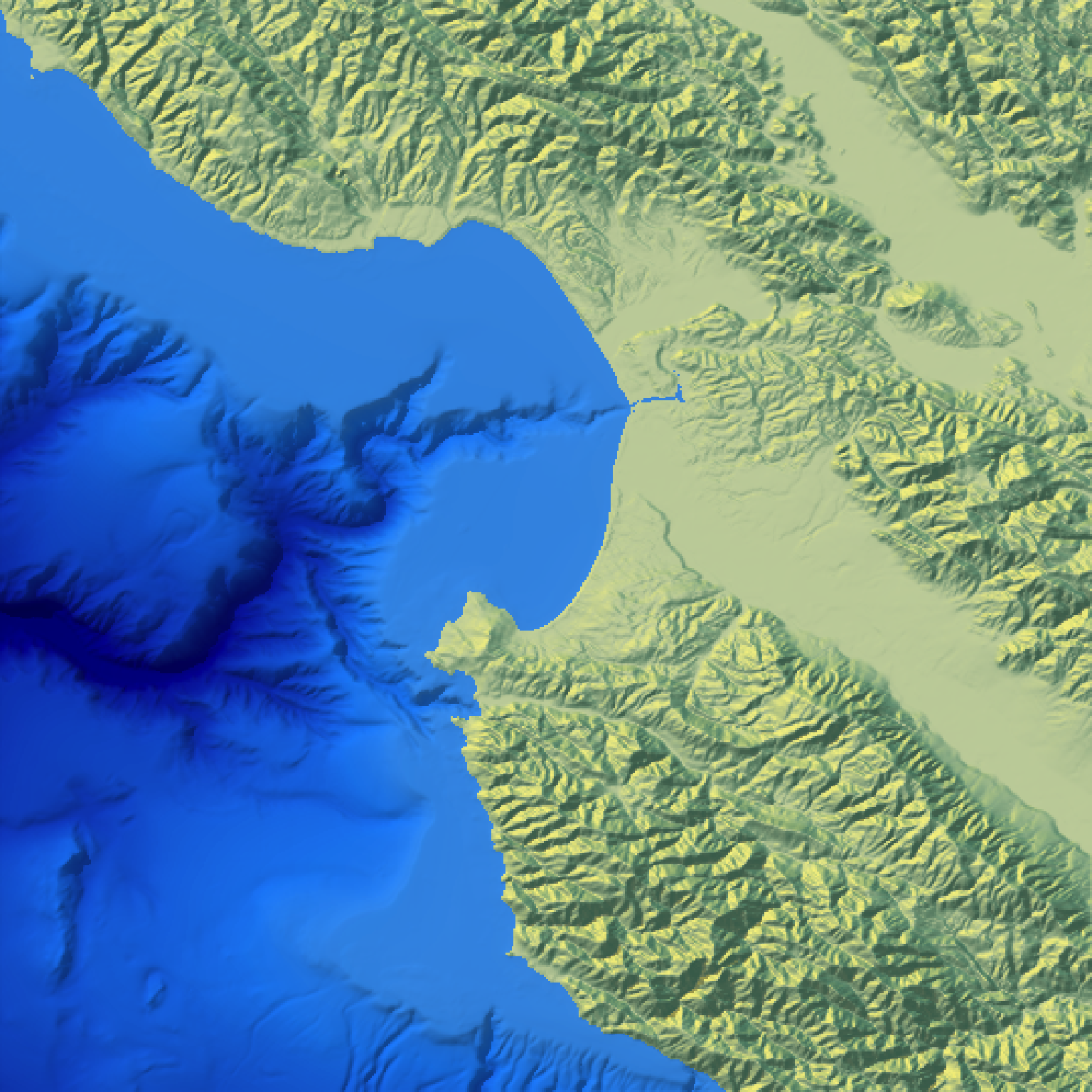
Displays the map in the current device.
plot_map(
  hillshade,
  title_text = NA,
  title_offset = c(20, 20),
  title_color = "black",
  title_size = 30,
  title_font = "sans",
  title_style = "normal",
  title_bar_color = NA,
  title_bar_alpha = 0.5,
  title_just = "left",
  ...
)
Arguments
- hillshade
Hillshade to be plotted.
- title_text
Default
NULL. Text. Adds a title to the image, usingmagick::image_annotate().- title_offset
Default
c(20,20). Distance from the top-left (default,gravitydirection in image_annotate) corner to offset the title.- title_color
Default
black. Font color.- title_size
Default
30. Font size in pixels.- title_font
Default
sans. String with font family such as "sans", "mono", "serif", "Times", "Helvetica", "Trebuchet", "Georgia", "Palatino" or "Comic Sans".- title_style
Default
normal. Font style (e.g.italic).- title_bar_color
Default
NA. If a color, this will create a colored bar under the title.- title_bar_alpha
Default
0.5. Transparency of the title bar.- title_just
Default
left. Justification of the title.- ...
Additional arguments to pass to the
raster::plotRGBfunction that displays the map.
Examples
#Plotting the Monterey Bay dataset with bathymetry data
if(run_documentation()) {
water_palette = colorRampPalette(c("darkblue", "dodgerblue", "lightblue"))(200)
bathy_hs = height_shade(montereybay, texture = water_palette)
#For compass text
par(family = "Arial")

#Set everything below 0m to water palette
montereybay |>
 sphere_shade(zscale=10) |>
 add_overlay(generate_altitude_overlay(bathy_hs, montereybay, 0, 0))  |>
 add_shadow(ray_shade(montereybay,zscale=50),0.3) |>
 plot_map()
}